Turn what's in your head
into a visual story.
Describe a scene and Loovie generates it - then turn one prompt into multiple shots, save characters to reuse across scenes, and edit it all on your phone. No model expertise required, we pick the best AI for you.
Available now on iOS · 10 Complimentary Credits to Start · No card required
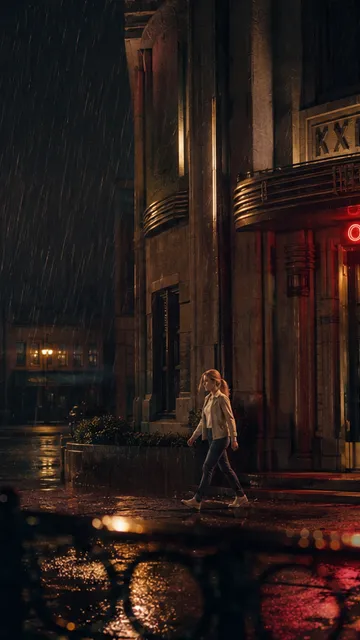
Extreme wide shot of a dark rainy city at 3am, a single warm amber window glowing on the 14th floor of an old office tower, wet streets with neon reflections, atmospheric rain. Photorealistic cinematic, anamorphic, 35mm film grain, moody teal-and-orange grade. 21:9.
Stop juggling separate tools
Most AI storytellers stitch together an image tool, a video tool and an editor: roughly $85/month across 3+ subscriptions that don't talk to each other. Your characters drift. Your continuity breaks.
TOOL PRICING AS PUBLISHED, MAY 2026 · PLANS & PRICES CHANGE
From imagination to visual story.
Three things that turn imagination into story. Everything else is built around them.



Character Library
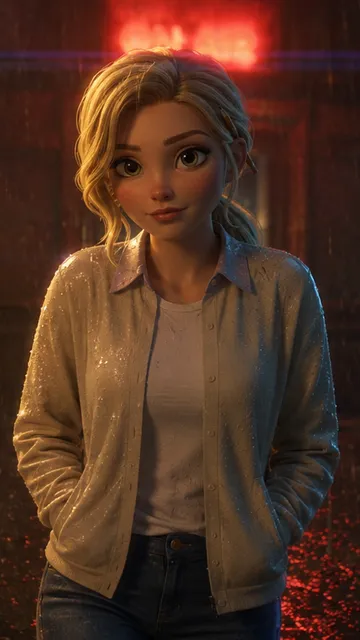
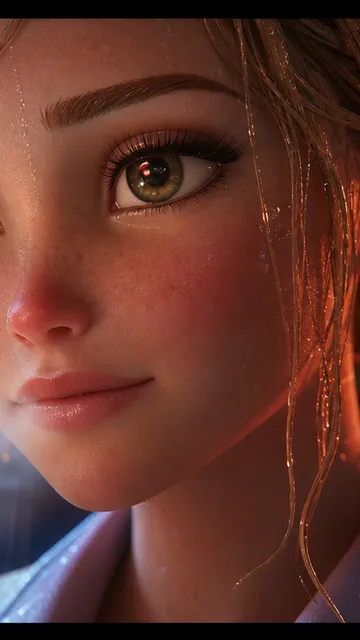
Save your protagonist once - her look, her wardrobe, her age - and reuse her across shots and projects instead of redescribing her every time.

Multi-Shot Video
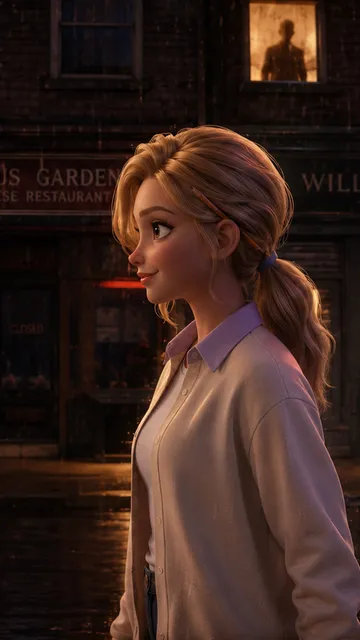
Type a scene. Loovie breaks it into up to 5 shots - angles, beats, transitions - that flow as one story.
Motion Reference
Record yourself - or any clip of a person moving - and your character performs the same movement: dance, walk, a fight beat, a gesture.
Everything you need to bring your imagination to life, in one app.
20+ features across writing, character work, generation, editing, and finishing.
Leah
NEWChat with Leah about your prompt before you generate. Get AI-guided pointers on shot composition, pacing, and style, right where you're writing.
Prompt References
Drop characters, assets, backgrounds, or your own uploads straight into your video prompt with an @tag. Up to 4 per generation on High and Ultra, with on-model character variations.
Character Sheets
One tap turns any character into a full-body turnaround with an expression row, used as the reference for first-frame and video so they stay on-model across every shot.
Bring Your Own GPU
Run your own models and LoRAs on your own hardware. Free, no credits, no limits, right from Preferences, Beta Features.
Caption Animations & Text Effects
Animate captions with In, Out, and Loop presets like Fade, Slide, and Bounce, plus typewriter, reveal, and animated gradient text effects that export right along with your video.
Fill the Gap
Auto-generate seamless transitions between clips. Uses first and last frame technology to fill gaps in your timeline with one tap.
Character Library
Save unlimited characters with multiple angle views, outfits, expressions, and age, outfit, or condition variants. Reuse them across all your projects with the exact variation you need.
Background Library
Save and reuse backgrounds and scenes. Build your library of locations across projects.
Timeline Editor
Visual multi-clip editor with drag-and-drop. Available to ALL tiers, even Free.
From Last Frame
One-click seamless continuity. Generate the next scene starting from your last frame.
AI Video Generation
Text-to-video and image-to-video with Standard, High, and Ultra quality tiers. Choose the right engine for each shot.
Multi-Shot Video
Write one prompt and the AI breaks it into up to 5 shots with their own prompts, timing, and transitions.
Video Transitions
51 transition types across 11 categories. Plus AI transitions that generate smooth blends between clips.
Motion Reference
Record yourself, or any clip of a person moving, and your character performs the same movement.
Voiceover & SFX
Record your own voiceover, upload your own audio track, and drop in stock sound effects, right in the timeline.
Character Swap
Swap any saved character into your clips, frame by frame, to try different looks for the same scene.
Bring your own generation server.
Run Loovie image and single-shot video on a server you control, with your own models and LoRAs. Your hardware, your generations, free to use.
Earn while your community creates.
Loovie's affiliate program pays recurring commission on every Creator and Studio subscription you bring in. Built for storytelling educators, writing coaches, and creator communities.
From imagination to story in four moves.
Describe your scene
Write a prompt for the scene you want - or speak it with voice input.
Save your characters
Save characters with variations (angles, outfits) to a library and reuse them across scenes.
Generate the shots
Multi-Shot turns one prompt into up to 5 shots. Motion Reference makes a character move like a person in a clip you record.
Edit, caption, export
Drag-and-drop timeline, caption animations, recorded voiceover - all in the same app.
Sample films made with Loovie.
Stories, kids' books, marketing, creator intros. The kind of thing you can make from your phone.
Festival shorts
Narrative shorts you can pitch to festivals.
Series pilots
Spec a pilot, generate it, take it to a room.
Concept reels
A proof-of-concept for the feature you want to shoot.
Read-along films
Your picture book, moving and narrated.
Book trailers
Cinematic trailers for your launch or Kickstarter.
Bedtime series
One character, an episode-a-week universe.
Kids read-along
A bedtime film of your picture book.
Launch trailers
School-safe trailers for your KDP launch.
A character a week
Spin one character into an episodic universe.
Story shorts (60s)
Recurring characters, a weekly drop.
Channel intros & outros
A cinematic intro that makes it feel like a show.
Explainer reels
Animated explainers with a consistent presenter.
Social ad spots
On-brand 15–30s spots for Meta, TikTok, YouTube.
Product explainers
The product in a story, not a demo.
Always-on series
A weekly drop that builds your brand world.
Real stories. Real feedback.
“She loved the video! I appreciate knowing that you were there to support if any issue.”
“When I saw the app routes the appropriate models, I was skeptical… but I was impressed that it did really well!”
“With Loovie, everything changed. After just a couple of prompts, I was able to create music that fit the podcast perfectly.”
“Wow, this app works like magic - it’s so clear, it’s amazing. I will recommend the Loovie app for all content creators to use. It’s amazing to use.”
One subscription. One app.
Start free. Upgrade when your story gets bigger. Weekly plans also available in-app.
Or buy credits as you go
No subscription needed. These credits never expire.
15 Credits
~2 videos
$4.99
40 Credits
~8 videos
$11.99
100 Credits
~20 videos
$24.99
250 Credits
~50 videos
$49.99
Day Pass · 40 credits
24h CREATORFull premium access for one day. Perfect for a creative session.
Questions, answered.
Your story was always the easy part.
The tools just got out of the way. 10 complimentary credits. No card.